PixieAI
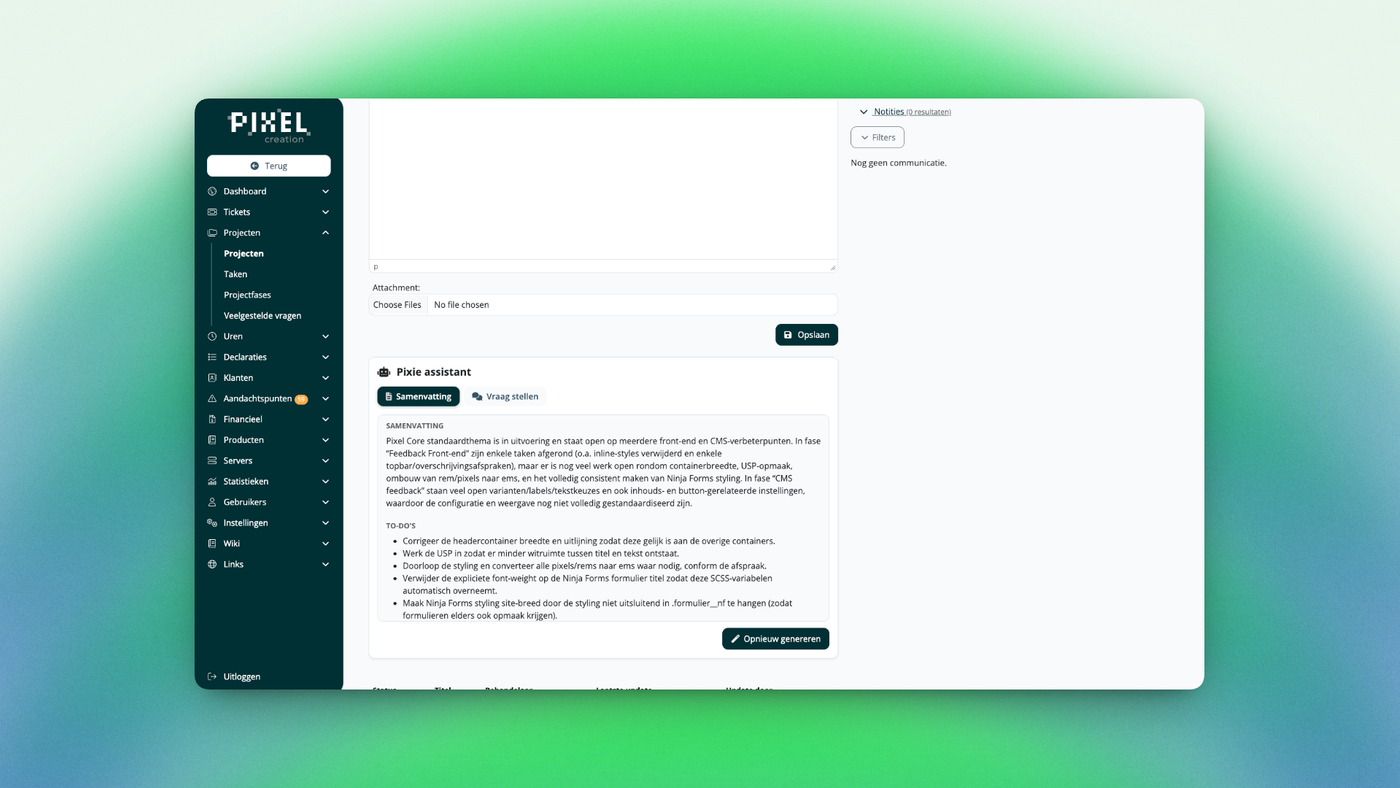
AI features for Pixel Creation’s internal Laravel DMS, built around an assistant called Pixie.
Pixel Creation uses an internal Document Management System (DMS) built in Laravel to manage tickets, notes and projects. I added AI features to it through an assistant called Pixie. Both features are live and used by staff.

Swappable AI providers with the Strategy Pattern
All of Pixie’s features talk to AI through one shared interface, AiClient. Each AI provider is its own implementation of that interface, so the rest of the application never needs to know which provider is behind it.

There are three implementations:
- OpenAIClient - currently the most used
- OpenRouterClient - access to a range of models through OpenRouter
- LMStudioClient - runs AI locally, so it can be used without spending money on external compute

Which provider is active is decided by the AI_DRIVER value in the .env. The AppServiceProvider reads this value and binds the matching implementation to the AiClient interface in Laravel’s service container, together with its API key, base URI and default model:

Switching providers is a matter of changing one .env value. No feature code has to be touched.
Error handling
Pixie has generic error handling for two cases:
- Misconfigured provider - when the AI provider isn’t configured correctly, Pixie reports that the AI is misconfigured.
- Provider not responding - when the API doesn’t respond, Pixie reports that the AI is unavailable.
Because of the Strategy Pattern, an outage at one provider can be handled by switching to another one.
Ticket summarizer
With “Summarize with Pixie”, staff get a summary of a ticket instead of reading through the whole thing. The summary is generated on click. The ticket context is stripped of HTML and sent as the payload to the AI provider through chat().

Rewriting emails with Pixie
Pixie also helps when replying to emails. It uses the same chat() method from the AiClient interface as the summarizer, with a simpler payload.

Users manage their own presets on a separate page, where they can create, edit and delete them. Each preset has its own prompt for how a reply should be rewritten. Examples are assertive, friendly, formal, short and to the point, and empathetic for bad news.
Before saving a preset, users can test their work-in-progress prompt. This sends the prompt directly to the API, so they can see the result before committing to it.
